

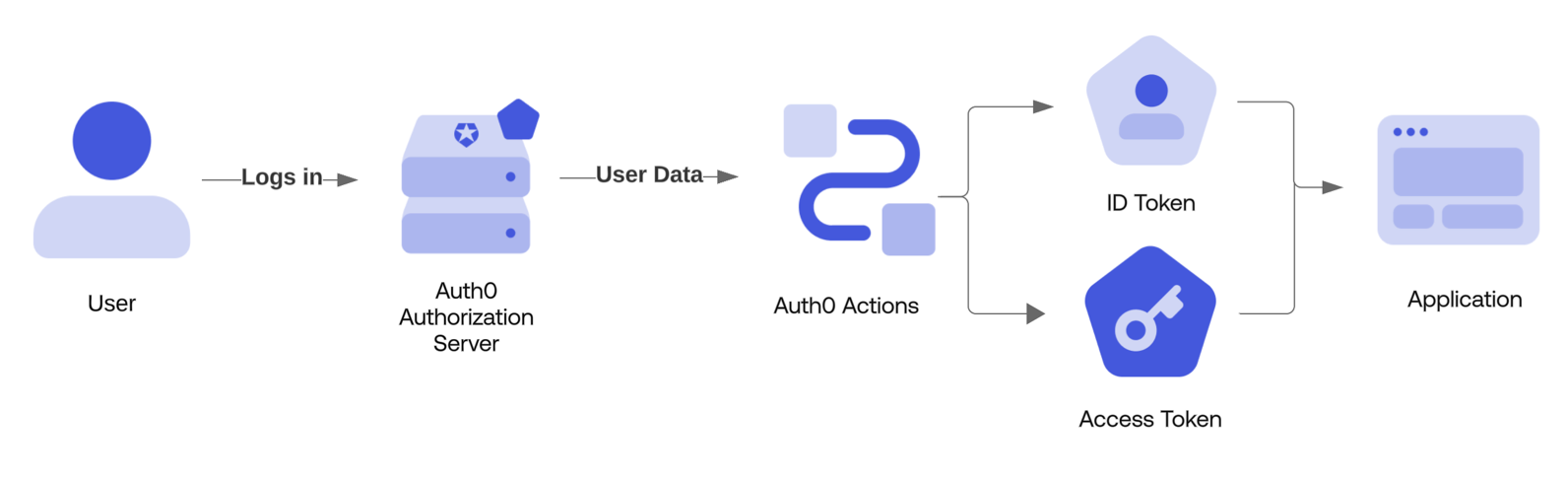
post-login trigger runs when a user successfully authenticates against an application on an Auth0 tenant, including authentication after signup, and when a is exchanged.
References
- Event object: Provides contextual information about a single user logging in via Auth0.
- API object: Provides methods for changing the behavior of the flow.
Common use cases
Access control
A post-login Action can be used to provide custom logic used to deny access to a user who is attempting to access an application:Allow access only on weekdays for a specific application
If you have an application that you want to make sure is only accessible during weekdays, you can create the following Action:Deny access to anyone calling an API
Let’s say you want to deny access to all users who are calling an API. This means that you need to deny access depending on the value for your API, which you can find in the API Audience field of your API in Dashboard > Applications > APIs. To do this, you would create the following Action:Add user roles to ID and Access tokens
To add user roles to Auth0-issued tokens, use theevent.authorization object along with the api.idToken.setCustomClaim and api.accessToken.setCustomClaim methods:
- A custom claim cannot include certain terms, and we strongly recommend using a namespaced claim that takes the form of a URI. To learn more, read Create Custom Claims.
- The returned to the requesting application is built and signed at the end of the trigger processing. The final, signed JWT is not accessible in an Action.
Enrich the user profile
Auth0 provides a system for storing metadata on a User Profile. In order to setuser_metadata or app_metadata on a user’s profile during their login, use the api.user.setUserMetadata or api.user.setAppMetadata functions:
Enforce custom MFA policy
A post-login Action can be used to dynamically require for a user according to your application’s needs:Reduce friction with passkeys
A post-login Action can be used to reduce friction by dynamically skipping MFA for a user that has authenticated with a passkey:Redirect the user to an external site
Similar to Redirect Rules, a post-login Action can be used to send the user to an external site. When completed, the user can be redirected back to Auth0 to continue their login flow. In the example below, a Redirect Action is used to prompt the user to provide their favorite color:Modify scopes on an access token
When modifying the scopes associated with an , ensure you adhere to the best practices surrounding audience specification:- Always check for expected audience before adding scopes.
- Prevent using untrusted input when adding scopes.
Deny access to specific JA3/JA4 fingerprints
Theevent.security_context object contains the JA3/JA4 fingerprint values for the current transaction: