> ## Documentation Index
> Fetch the complete documentation index at: https://docs-staging.auth0-mintlify.app/llms.txt
> Use this file to discover all available pages before exploring further.
> Cross App Access(XAA)IdP に組織のサポートを追加し、アクセストークンを `org_id` に関連付けます。
# 組織のサポートを追加
export const ReleaseStageNotice = ({feature, stage, plans, contact, terms}) => {
const stageTextMap = {
"beta": "Beta",
"ea": "早期アクセス"
};
const stageText = stageTextMap[stage] || "製品リリース段階";
const prsLink = "/docs/troubleshoot/product-lifecycle/product-release-stages";
const linkify = (text, url) => {
return {text};
};
const includeDetails = (plans, contact, terms) => {
const hasDetails = terms || plans || contact;
if (!hasDetails) return null;
return
{plans && <>この機能は{linkify(`${plans}プラン`, "https://auth0.com/pricing")}でご利用いただけます。 }
{contact && "参加をご希望の場合は、" + contact + "までお問い合わせください。 "}
{terms && <>この機能を使用することにより、Oktaの該当する無料トライアル規約および{linkify("Master Subscription Agreement", "https://www.okta.com/legal")}に同意したものとみなされます。}
;
};
return
{feature}機能は現在、{linkify(stageText, prsLink)}です。
{includeDetails(plans, contact, terms)}
;
};
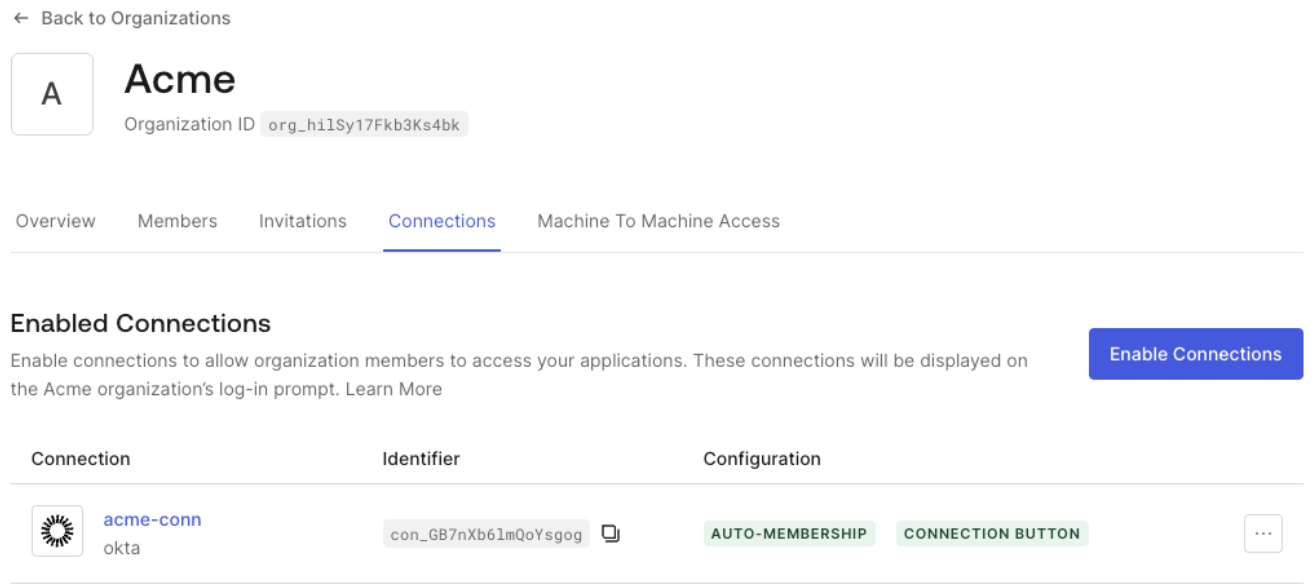
エンタープライズ顧客が Organizations を利用できるようにするには、[組織を作成](/docs/ja-jp/manage-users/organizations/configure-organizations/create-organizations)し、その組織で[XAA 用に設定したエンタープライズ接続を有効に](/docs/ja-jp/manage-users/organizations/configure-organizations/enable-connections)します。これにより、この接続の scope で XAA を使用して生成されたアクセストークンは、対象ユーザーが組織のメンバーである場合、対応する `org_id` に自動的に関連付けられます。
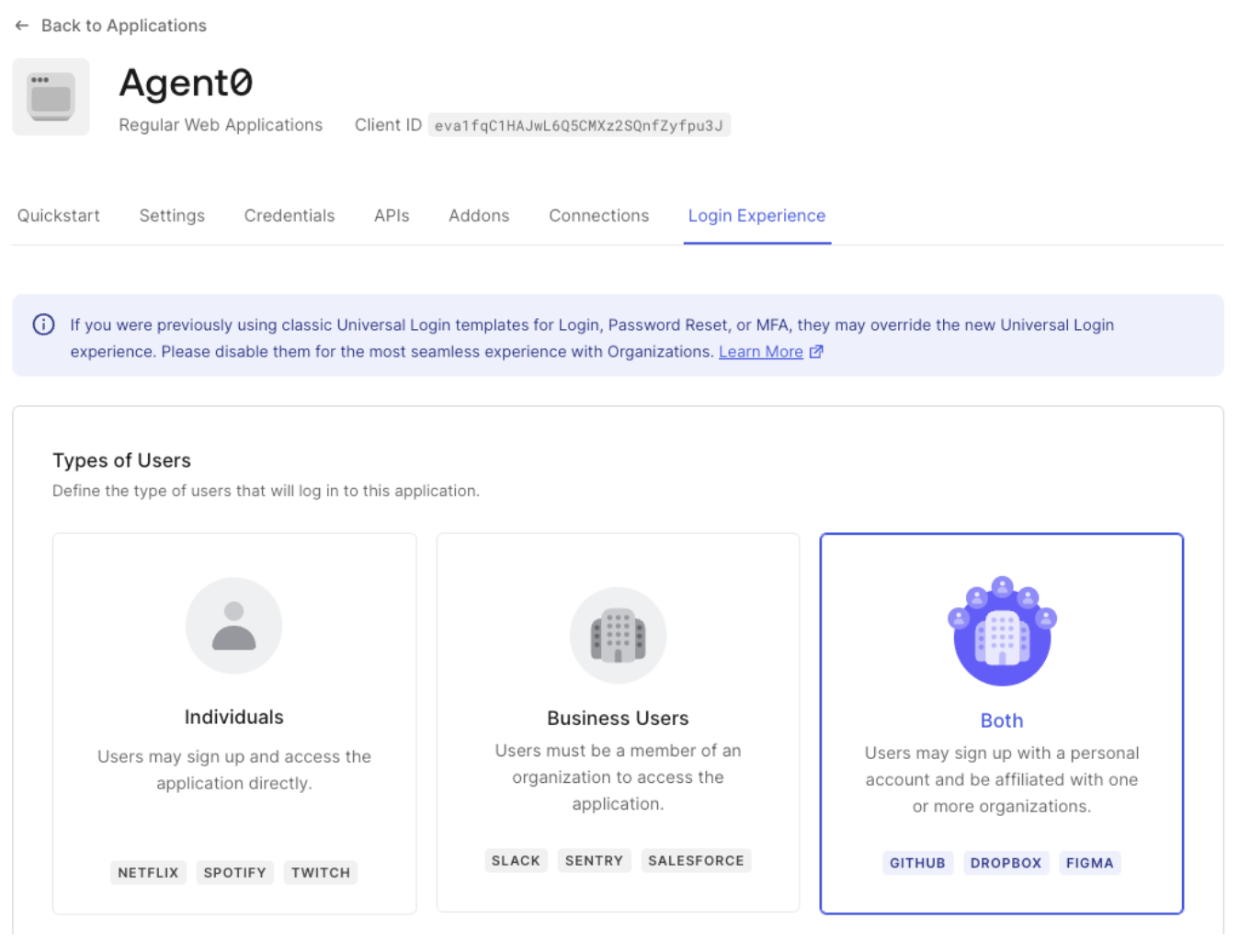
 Requesting App の[組織の動作](/docs/ja-jp/manage-users/organizations/configure-organizations/define-organization-behavior)を設定して、Organizations の利用を必須にするか、許可するかを指定することもできます。組織のメンバーとしてログインすることも、個人アカウントでサインアップすることもできる **Both** からテストを開始することをお勧めします。
 Requesting App がサードパーティアプリケーションの場合は、[組織に対するサードパーティアプリケーションのアクセスを有効にします](/docs/ja-jp/manage-users/organizations/configure-organizations/enable-third-party-application-access)。