

Get started
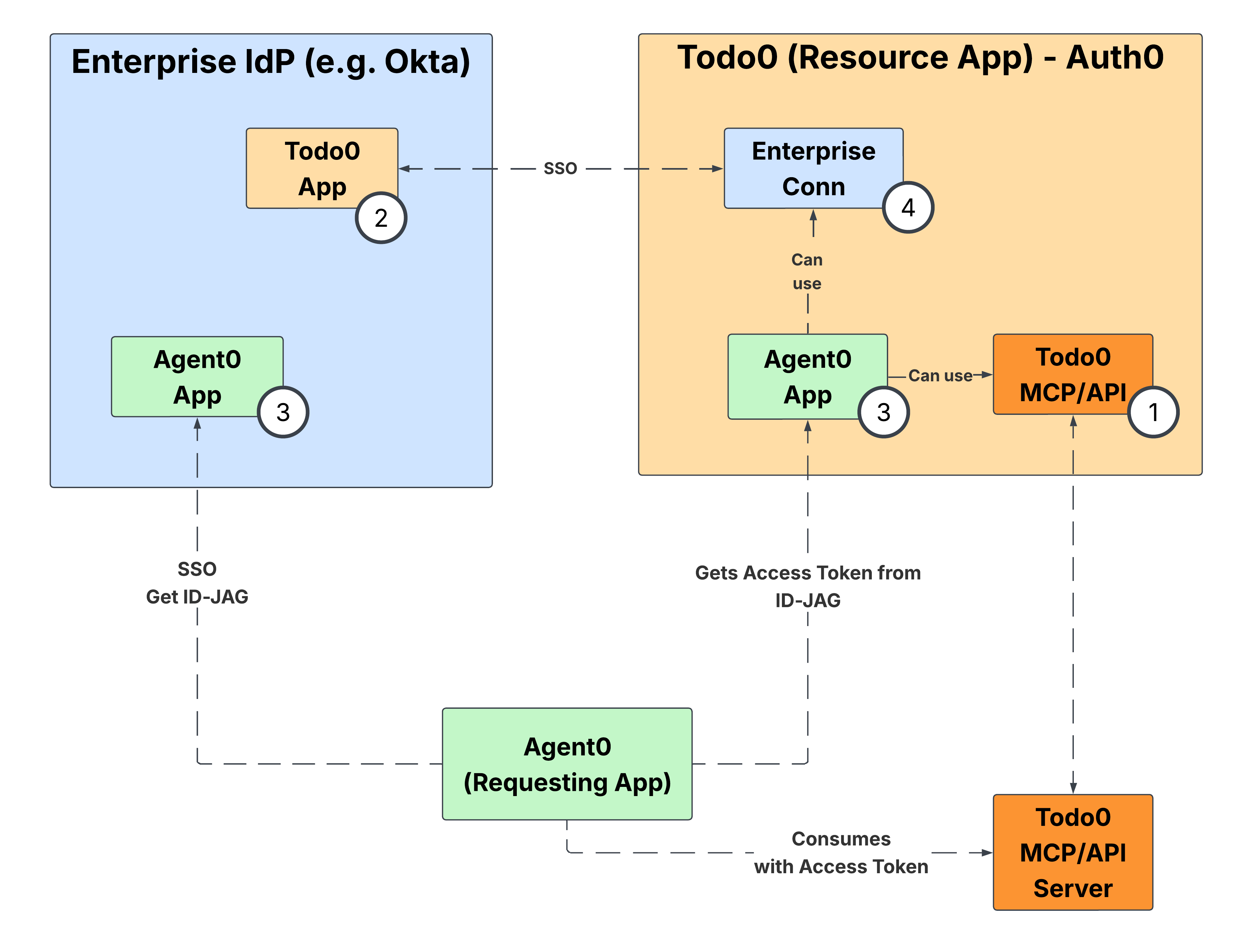
To configure your Auth0 tenant as the Resource App:- Complete Environment Setup to configure your API and register a test Requesting App in your Auth0 tenant.
- Configure the enterprise IdP by following the applicable guide in IdP Integration — Okta as OIDC IdP or Okta as SAML IdP — depending on the IdP and protocol you use to federate with it.
- Once both sides are configured, read End-to-end Testing to verify the full XAA flow.