

AuthenticatorSettingsComponent can render the Auth0 passkey enrollment flow.
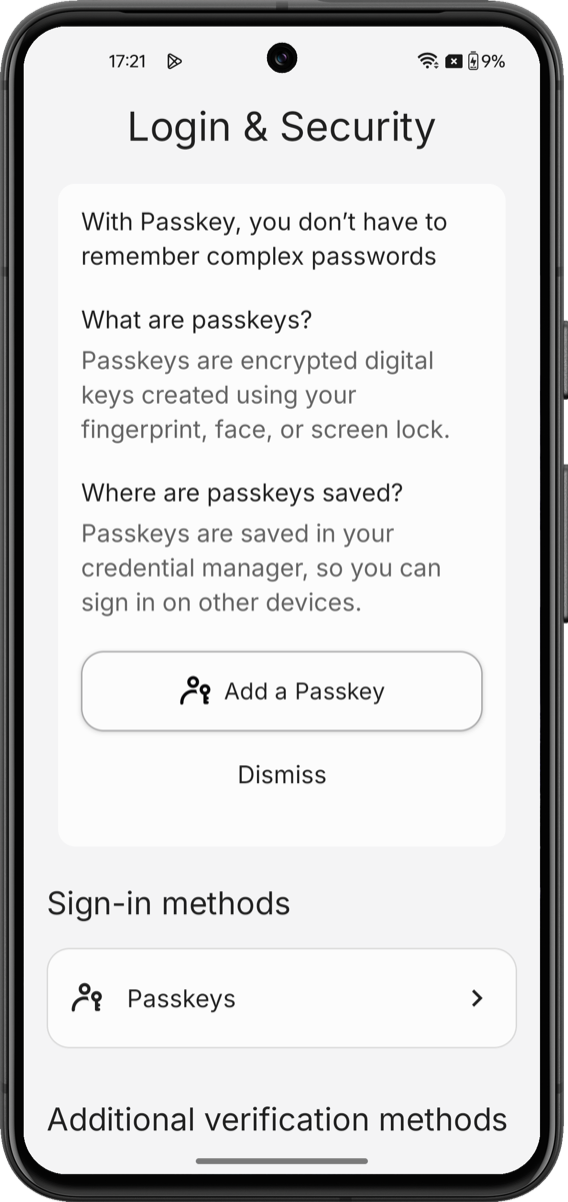
The passkey enrollment flow renders an educational screen, a WebAuthn registration handshake with the platform authenticator, and the enrolled-factor entry in the authenticator list.
Unlike other factors, passkeys require application-side platform entitlements that the Universal Components for Android SDK cannot configure.
Prerequisites
To enable passkey support in the Universal Components for Android SDK:- Configure a custom domain on your Auth0 tenant. To learn more, read Custom Domains.
- Enable passkeys on your Auth0 database connection. To learn how to enable passkeys in your Auth0 tenant, read Passkeys.
- Register your Android application package and SHA-256 signing fingerprints in your Auth0 application. To learn more, read Native Passkeys for Mobile Applications.
- Install and configure Universal Components for Android. To install Universal Components, configure your Auth0 tenant, and initialize the SDK, read Build a Self-Service Account Security Interface.
- Confirm Android version. Passkeys require Android 14+ (API 34+) for the full Credential Manager experience. On Android 11–13 (API 30–33), passkeys sync through Google Password Manager on devices with up-to-date Play Services.
Platform setup
Passkeys bind credentials to your Auth0 tenant’s custom domain. The platform verifies this binding through Android Digital Asset Links. Confirm AndroidX Credentials is resolved The Universal Components for Android SDK depends onandroidx.credentials:credentials:1.5.0+ transitively. If you see credential manager errors, verify with ./gradlew app:dependencies.
Google’s Credential Manager guide and the Digital Asset Links tester are the authoritative references. Validate your
assetlinks.json before testing on-device.SDK limitations
-
Passkeys can only be enrolled from inside the
AuthenticatorSettingsComponent. There is no public Composable API to trigger a standalone passkey enrollment from elsewhere in your application. Post-login “save a passkey” upsell prompts are not supported. You can track universal-components-android for updates. - Removing a passkey in the component does not purge the OS credential store. The enrolled passkey detaches from the Auth0 account, but the private credential remains in Google Password Manager until the user removes it from the OS-level credential manager.
-
The
PasskeyEnableScreencomposable is informational only. It is publicly callable, but it renders a static educational card; theonEnableClickcallback is delegated to you. The actual enrollment logic lives inside the component’s internalPasskeyViewModeland is not publicly exposed. -
Attestation conveyance is not surfaced. The SDK does not let you select the attestation policy (
none/indirect/direct) or enumerate authenticator transports. It uses the Auth0 tenant’s configured WebAuthn policy.
Learn more
Auth Methods Management
Review the
AuthenticatorSettingsComponent reference and the full list of supported factors.Build a Self-Service Account Security Interface
Initialize the SDK and wire the token provider to your Auth0 tenant.