

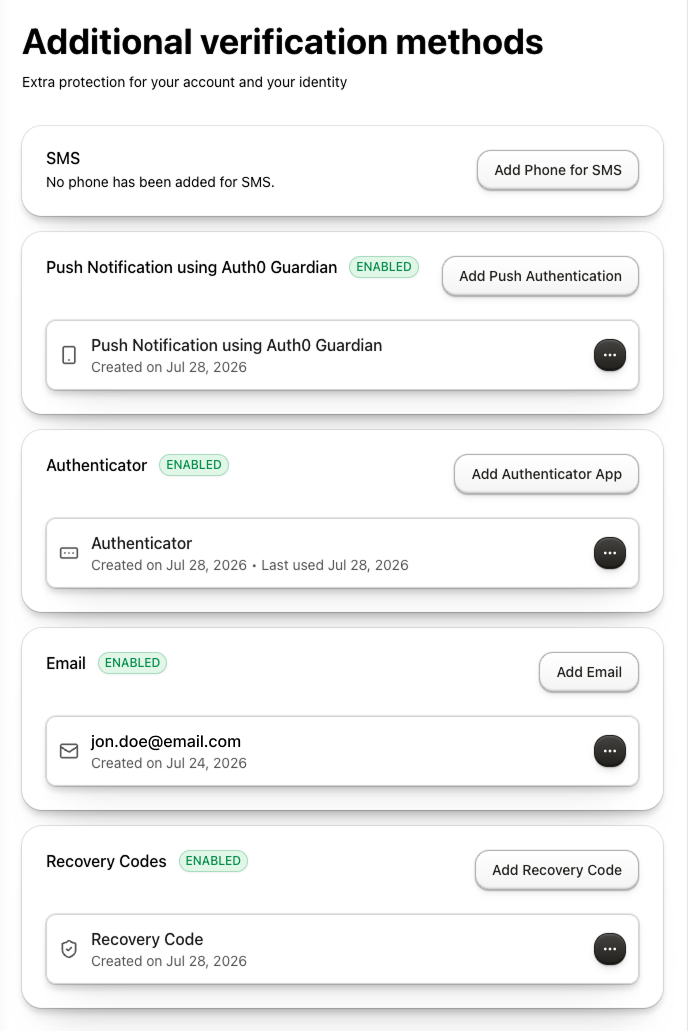
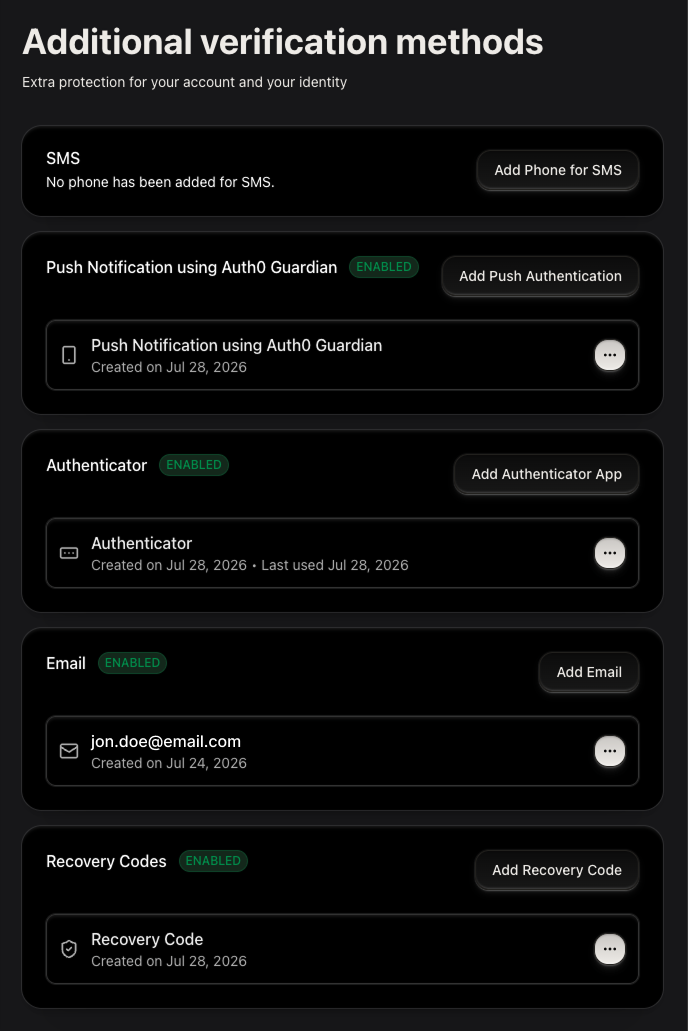
UserMFAManagement component lets users enroll, view, and delete their own multi-factor authentication factors in a single card-based interface using the My Account API.
It uses the My Account API’s authentication methods management capabilities to render a complete UI for managing a user’s authentication methods.
With the UserMFAManagement component, you do not need to orchestrate navigation, call API endpoints, or manage state.
Supported factors
The component handles every authentication method factor configured with the My Account API.Configure your application
Select your framework to configure environment variables and universal components.- React (SPA)
- Next.js (RWA)
- shadcn
Setup requirements
Before rendering theUserMFAManagement component, follow Build Account Security UI to configure your Auth0 tenant and applications.Enable MFA methods and scopes
Enable MFA methods- Navigate to Dashboard > Security > Multi-factor Auth.
- Enable the desired factors. To learn more, read Multi-Factor Authentication Factors.
Install the component
react-hook-form and @tanstack/react-query are peer dependencies. The command also installs the @auth0/universal-components-core dependency for shared utilities and Auth0 integration.Get started
- Components are always imported from the root entry
@auth0/universal-components-react, regardless of framework. - Only the
Auth0ComponentProvidercomponent uses a framework-specific subpath:/spafor React applications,/rwafor Next.js applications.
Full integration example
Full integration example
Props
Display props
Display props control how the component renders without affecting its behavior.| Prop | Type | Default | Description |
|---|---|---|---|
hideHeader | boolean | false | Hide the component header (title and description). |
readOnly | boolean | false | Disable all mutation actions (enroll and delete). Factors are shown but cannot be added or removed. |
showActiveOnly | boolean | false | Show only factor types that the user has at least one active enrollment for. Factor types with no enrollments are hidden. |
disableEnroll | boolean | false | Hide the enroll button for all factor types. Users can still delete existing factors. |
disableDelete | boolean | false | Hide the delete button on all enrolled factor rows. Users can still enroll new factors. |
factorConfig | Partial | {} | Per-factor-type visibility and enabled state. |
factorConfig to show or grey-out specific factor types without editing the tenant configuration.
Each key is a factor type string; both fields are optional and default to true.
Supported factor type keys: phone, totp, email, push-notification, webauthn-platform, webauthn-roaming, recovery-code.
visiblerenders the factor row in the list (falseto hide).enabledrenders the factor row is interactive (falserenders it greyed-out and non-interactive).
Action props
Action props let you hook into the component’s enrollment and deletion lifecycle events and trigger or cancel operations.| Prop | Type | Description |
|---|---|---|
enrollAction | ComponentAction<MFAType> | Lifecycle hooks for factor enrollment. Set disabled: true to disable the enrollment action. |
deleteAction | ComponentAction<MFAType> | Lifecycle hooks for factor deletion. Set disabled: true to disable the deletion action. |
onBefore to cancel enrollment before the flow starts. Use onAfter to refresh related UI or send analytics after enrollment completes successfully.
onBefore to cancel deletion before the built-in confirmation dialog is shown. onAfter runs after a factor is successfully deleted.
Customize props
Customization props let you adapt copy, validation rules, and styling without modifying source code.| Prop | Type | Description |
|---|---|---|
customMessages | Partial<UserMfaManagementMessages> | Override default UI text and translations. |
styling | ComponentStyling<UserMFAManagementClasses> | CSS variables and class overrides. |
schema | { email?: RegExp; phone?: RegExp } | Custom validation patterns for email and phone number input fields. |
Available Messages
Available Messages
Header
header.title, header.description, no_active_mfa, loading_text, component_error.title, component_error.descriptionActions actions.remove_button_label, actions.cancel_button_label, actions.confirm_button_label, actions.continue_button_label, actions.submit_button_label, actions.verify_button_label, actions.back_button_label, actions.deleting_button_text, actions.menu_aria_labelPer factor type (replace {factor} with phone, totp, email, push-notification, webauthn-platform, webauthn-roaming, or recovery-code) factors.{factor}.title, factors.{factor}.description, factors.{factor}.button_textNotifications notifications.factor_enroll_success, notifications.factor_remove_success, notifications.fetch_factors_error, notifications.factor_delete_errorEnrollment and removal enrollment and remove_factor_dialogAvailable Styling Options
Available Styling Options
Variables—CSS custom properties
commonApplied to both themeslightLight mode onlydarkDark mode only
UserMFAManagement-itemeach factor-type card containerEnrollFactorModal-dialogContentthe enrollment multi-step dialog content areaFactorDeleteModal-dialogContentthe delete confirmation dialog content area
emailvalidates the email address entered during email-OTP enrollment (default: standard RFC-5322-style pattern).phonevalidates the phone number entered during SMS enrollment (default: accepts international E.164 format).
TypeScript definitions
Advanced customization
In addition to the component configuration described above, use theuseUserMFA hook when you need to build a custom MFA management interface.
showActiveOnly, readOnly, disableDelete, factorConfig, customMessages, enrollAction, and deleteAction. It returns factor data, loading and action state, enrollment and deletion state, and the handlers required to implement enrollment, verification, and removal flows.
Use UserMFAManagement when you want the built-in interface. If you use the hook, implement the matching enrollment, verification, recovery-code, and deletion UI for the factor types you support.
onAfter in enrollAction and deleteAction runs when the success notification closes, rather than immediately when the action completes.Learn more
User Passkey Management
Manage WebAuthn passkeys with the same lifecycle pattern.
Build a Self-Service Account Security Interface
Overview, prerequisites, and framework setup for all My Account components.