

Before you begin
- At least one third-party application is configured in your tenant. To learn more, read Configure Third-Party Applications.
- The third-party application has a client grant for the APIs it needs to access.
- The connection used for login is promoted to the domain level (
is_domain_connection: true). Both this and the Organization opt-in below are required.
Enable third-party application access on the Organization
You can enable third-party application access using the Auth0 Dashboard or the Management API.- Auth0 Dashboard
- Management API
- Navigate to Auth0 Dashboard > Organizations and select the Organization.
- Go to the Applications tab.
- Under Third-Party Application Access, select Allow Third-Party Application Access.
- Select Save.
When you enable per-application access for an Organization, this policy only applies to third-party applications not explicitly listed in the Organization’s Applications tab. Third-party application you add to the list follow the individual Member Access setting instead.
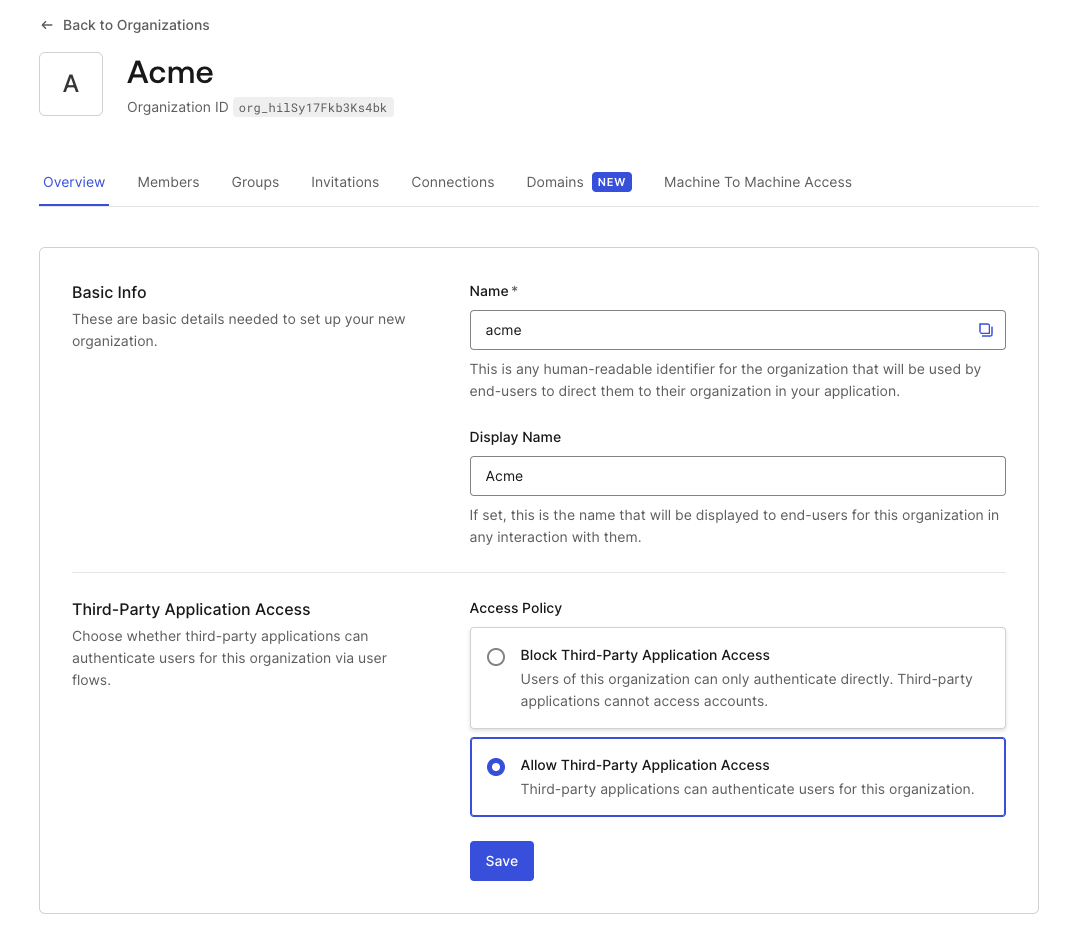
Connection requirements
For a third-party application to authenticate users in an Organization, two connection conditions must both be met:- The connection must be promoted to the domain level (
is_domain_connection: true). Third-party applications can only authenticate users through domain-level connections, whether or not an Organization is involved. - The connection must be enabled for the Organization.
This domain-level connection requirement doesn’t apply to third-party application access granted through Cross App Access (XAA). For XAA, third-party application access is approved directly in the enterprise IdP’s Cross App Access policy. To learn more, read Environment setup.
Organization login flows for third-party applications
Since third-party applications are controlled by external developers, you cannot rely on them passing theorganization parameter in their authorization requests. Authentication flows that require the application to send organization directly (the No Prompt login flow) are not reliable for third-party applications.
To ensure users are routed to the correct Organization context, configure one of the following on your application:
- Prompt for Credentials: Users authenticate first, then Auth0 prompts the user to select their Organization after login.
- Prompt for Organization: Users identify their Organization before authentication. This works regardless of what the external application sends. You can optionally enable Organization Domain Discovery to automatically detect the user’s Organization from their email domain or Organization name. Requires verified Organization domains.
Machine-to-machine access
Thethird_party_client_access setting applies to user authentication flows (authorization code) only. For machine-to-machine access using the Client Credentials Flow, this setting is not evaluated. M2M access is controlled exclusively through organization client grants.
For third-party applications, allow_any_organization is not available. Each Organization must be explicitly authorized through an organization_client_grant. To learn more, read Configure Machine-to-Machine Access.